
Introduction
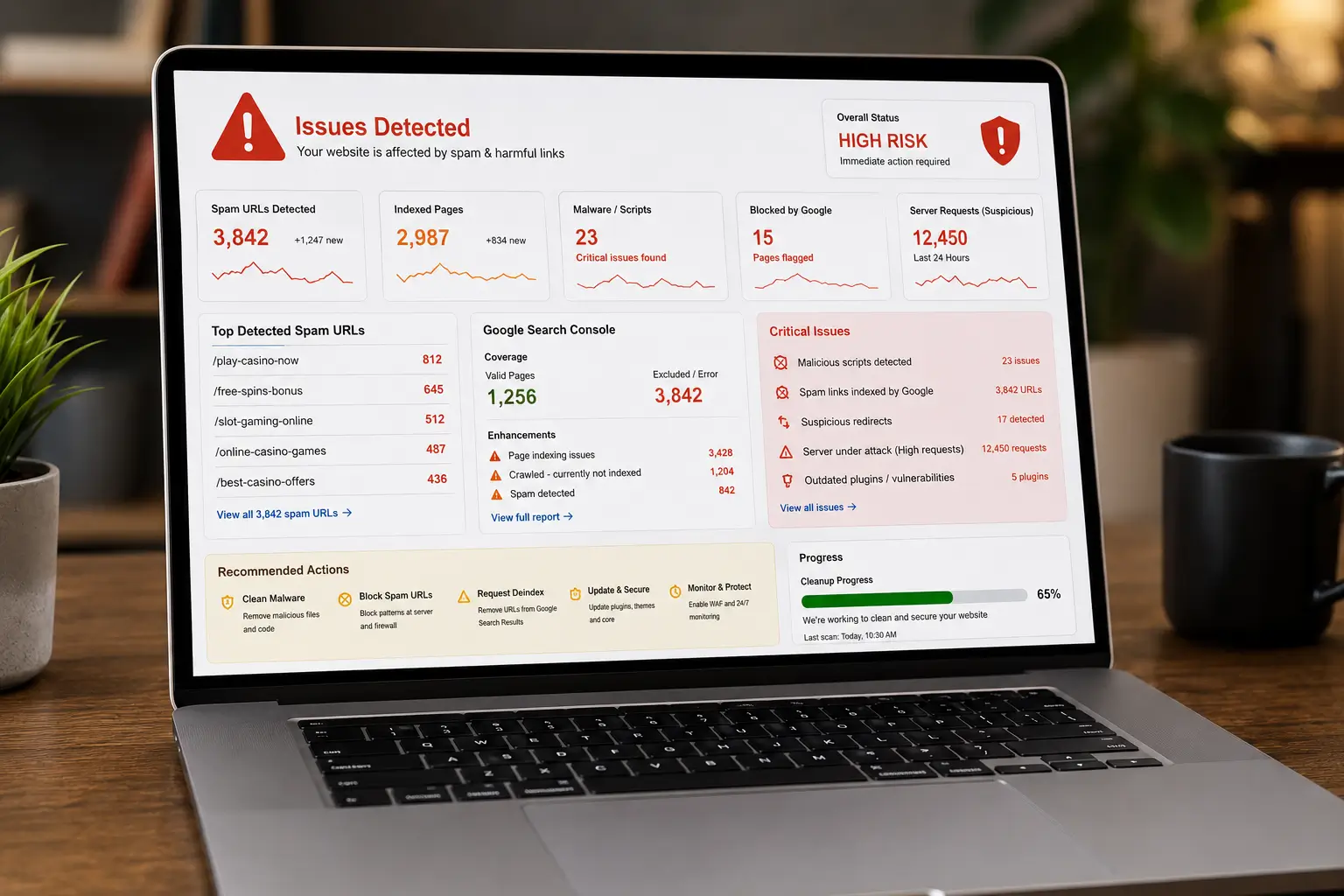
If you’ve ever opened your Google Search Console and seen URLs like:
/play-casino-now/free-spins-bonus/slot-gaming-online
…on a business website that has nothing to do with casinos — you already know the panic.
We dealt with this for an entire month across multiple sites, including high-traffic WooCommerce builds.
This wasn’t just a “delete a few pages” problem.
This was:
- SEO damage
- Server abuse
- Index pollution
- And long-term trust risk
Here’s exactly what happened, what we fixed, and what actually works.
The Problem: It’s Not Just Spam Pages
Most people think:
“Delete the spam pages and done.”
Wrong.
Casino spam attacks usually involve:
- Fake URLs getting indexed (without real pages)
- Injected scripts or hidden redirects
- Query-based URL generation (
?p=,?ref=, etc.) - Bots hammering endpoints
- Old vulnerabilities being exploited silently
In our case:
- Thousands of spam URLs were indexed
- No visible pages existed in WordPress
- Traffic spikes were coming from suspicious sources
- Server load increased without reason
Step 1: Identify the Pattern (This is where most fail)
Instead of randomly blocking URLs, we studied patterns:
Common casino spam footprints:
/play-/casino/slot/free-spins/bonus/bet/jackpot
Also query-based:
?p=casino?ref=slots?keyword=betting
Key learning:
Spam is never random. It follows patterns.
Once you identify patterns, you stop 1000 URLs with 1 rule.
Step 2: Block at Server Level (Not WordPress)
We implemented .htaccess / Nginx rules like:
RewriteCond %{REQUEST_URI} (casino|slot|bet|jackpot|bonus) [NC]
RewriteRule .* - [G,L]
This does:
- Immediate 410/403 response
- Prevents crawling
- Stops indexing faster
Key learning:
If you fix this inside WordPress, you’re already too late.
Step 3: Check File System (Critical Step)
We scanned:
/uploads//wp-content/plugins//mu-plugins/
Things we found in similar cases:
- Hidden PHP files in uploads
- Random plugin folders
- Files like:
wp-config.txtinstaller.php- obfuscated code
Key learning:
If malware exists, URLs will keep coming back.
Step 4: Disable PHP Execution in Uploads
This is a must.
<Files *.php>
deny from all
</Files>
Key learning:
Uploads folder should never execute PHP. Ever.
Step 5: Clean Google Index Properly
We used:
- Google Search Console → Removals
- URL inspection → Request deindex
- Sitemap resubmission
Also:
- Returned 410 (Gone) instead of 404
Key learning:
410 removes URLs faster than 404.
Step 6: Strengthen Firewall (Cloudflare WAF)
We added:
- Rate limiting (e.g., 120 requests / 10 sec)
- Country-level blocks (where irrelevant)
- Bot filtering
- Challenge rules
Important:
We allowed:
- Googlebot
- AdsBot-Google
Key learning:
Block bots, not search engines.
Step 7: Database Check (Often Ignored)
We checked:
wp_postswp_optionswp_postmeta
Search terms:
casinoslotbonus
Key learning:
Sometimes spam exists only in DB, not files.
Step 8: Fix Root Cause (Not Just Symptoms)
In most cases, root causes were:
- Outdated plugins
- Vulnerable themes
- Weak admin passwords
- No firewall
- XML-RPC abuse
Key learning:
Spam is a symptom. Vulnerability is the disease.
What Actually Worked (Real Results)
After full cleanup:
- Spam URLs stopped generating
- Indexed pages dropped gradually
- Server load stabilized
- Crawl budget normalized
- Rankings recovered
But most importantly:
Spam did NOT come back
Biggest Mistakes to Avoid
❌ Only deleting URLs from Search Console
❌ Ignoring server-level blocking
❌ Not scanning uploads folder
❌ Keeping unused plugins active
❌ Using weak hosting security
Final Thoughts
This experience changed how we look at WordPress security.
A website is not just:
- Design
- Content
- Plugins
It’s an ecosystem.
If one layer fails → everything gets exposed.
Real takeaway:
Don’t fix spam. Fix the system that allowed it.
If your site is showing random spam URLs or losing rankings:
Don’t wait. It spreads fast.
We’ve handled this across high-traffic WooCommerce sites and SEO-critical platforms.
Let’s fix it properly not temporarily buy our wordpress maintenance package .